Zendesk
Let users view Zendesk tickets and requests and track agent performance from your intranet using a Zendesk OAuth client.
The Zendesk widget lets users view tickets and requests from Zendesk, track new and solved tickets, and track agent performance.
Before you start
You need:
- A Power User account in Interact with access to Control Panel > Marketplace.
- An administrator account in Zendesk with permission to create OAuth clients.
- Your intranet URL to hand, to build the redirect URL.
Step 1: Configure the Zendesk API
- Go to the OAuth Clients tab within the API menu option.
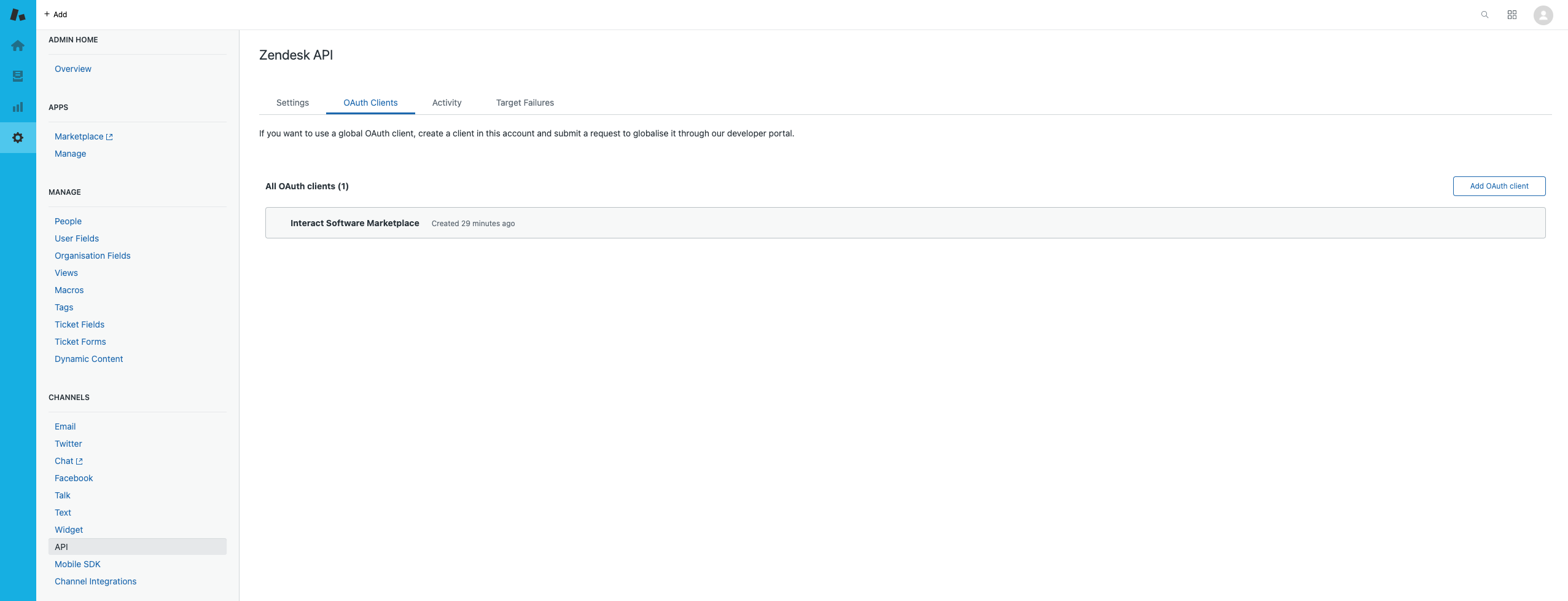
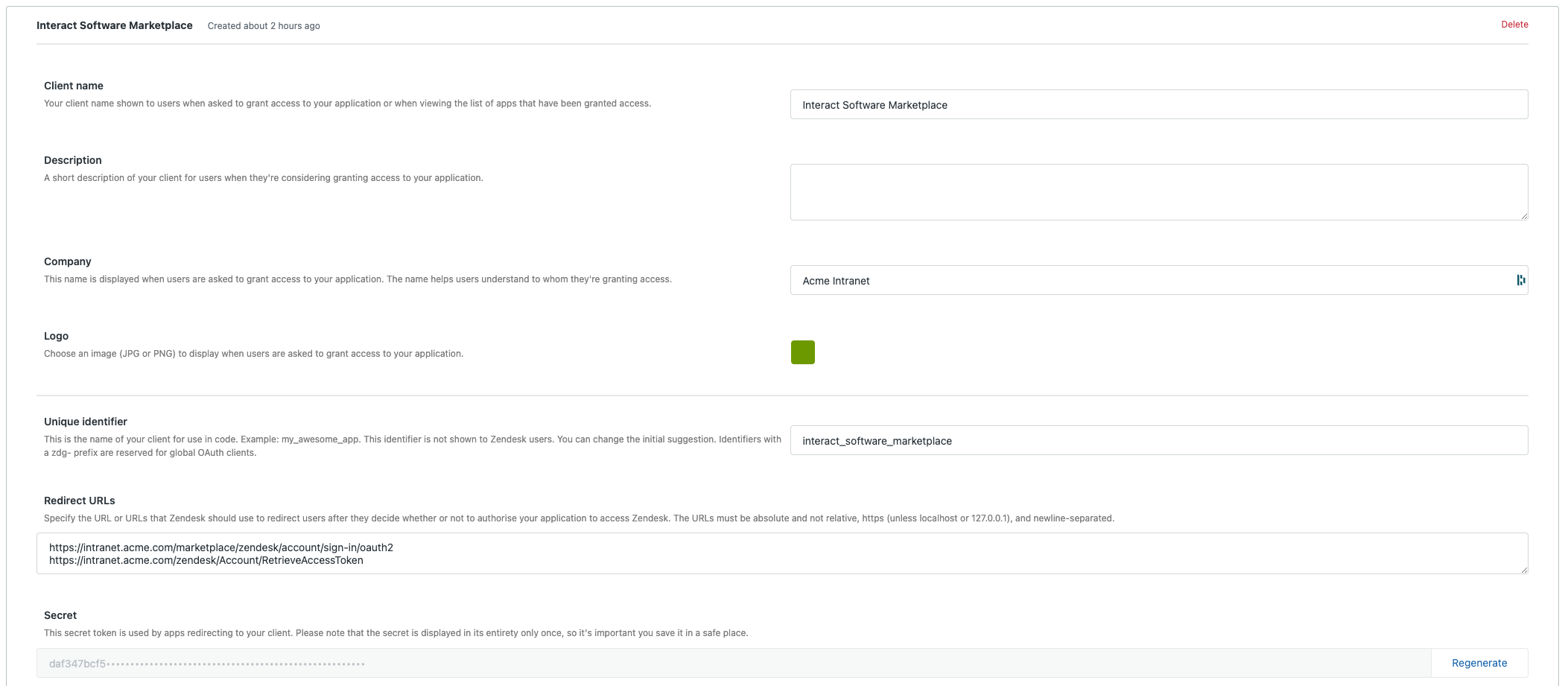
- Create a new OAuth client using the Add OAuth client button, and specify the details in the table below.
| Field | Value | Example |
|---|---|---|
| Client name | Interact Software Marketplace | Interact Software Marketplace |
| Company | Your company name | Acme |
| Unique identifier | Create a unique ID | interact_software_marketplace |
| Redirect URLs | Add https://{{intranet_url}}/marketplace/zendesk/account/sign-in/oauth2 |
https://intranet.acme.com/marketplace/zendesk/account/sign-in/oauth2 |
Warning: Zendesk does an exact match of the
redirect_urivalue to validate the OAuth request, so the redirect URLs are case sensitive.
Step 2: Configure the Interact Marketplace
- Go to Control Panel > Marketplace and select Zendesk.
- Specify the Unique identifier (Client ID) and Client Secret from the Zendesk client.
- Specify the App URI. This is the URL of your Zendesk instance, for example
https://acme.zendesk.com. Make sure there is no trailing slash. - Select Save.
Important: Editing existing Marketplace configuration options forcibly purges the authentication tokens of all users who have used the integration. Those users must re-authenticate before they can use the integration again. Any scope changes apply immediately to new access tokens. Existing service-provider access tokens do not pick up changes until re-authentication.
Guidance
- An
Invalid Authorization Request / Bad Requesterror during the user authentication flow usually indicates that the redirect URLs are incorrect (spelling or case) in the OAuth client configuration in Zendesk.
Related
Section: Integrations