Profile pictures
Before you start
- You need a profile source configured in Interact. See Step 1 of the General Profile Sources guide.
Tip: Profile pictures should be square and sized at 600x600 pixels for the best quality.
Overview
Each user in Interact has a profile, which includes a profile picture. You can upload profile pictures programmatically, reducing the manual overhead of uploading thousands of pictures one by one.
To upload a profile picture, first create a profile source. Then upload the image as the body of a multipart POST request. There are several options for identifying the user, described below.
Warning: Interact applies the uploaded picture to the profile without checking whether the picture has changed. Only use this API to upload pictures where the picture has changed.
Upload by person ID
If you know the internal person ID in Interact, pass it in the URL. Replace {{person_id}} with the person ID.
POST https://{{intranet_url}}/api/umi/{{source_id}}/upload/{{person_id}}/picture
Upload by username
If you know the username of the profile in Interact, pass it in the URL. Replace {{username}} with the username.
POST https://{{intranet_url}}/api/umi/{{source_id}}/upload/username/{{username}}/picture
Upload by UMI ID
If you know the UMI ID of the profile in Interact, pass it in the URL. Replace {{umi_id}} with the UMI ID. The UMI ID is typically the identifier of the person in the source user system, included in the id attribute for a user when you upload the XML file for the General Profile Source.
POST https://{{intranet_url}}/api/umi/{{source_id}}/upload/umiid/{{umi_id}}/picture
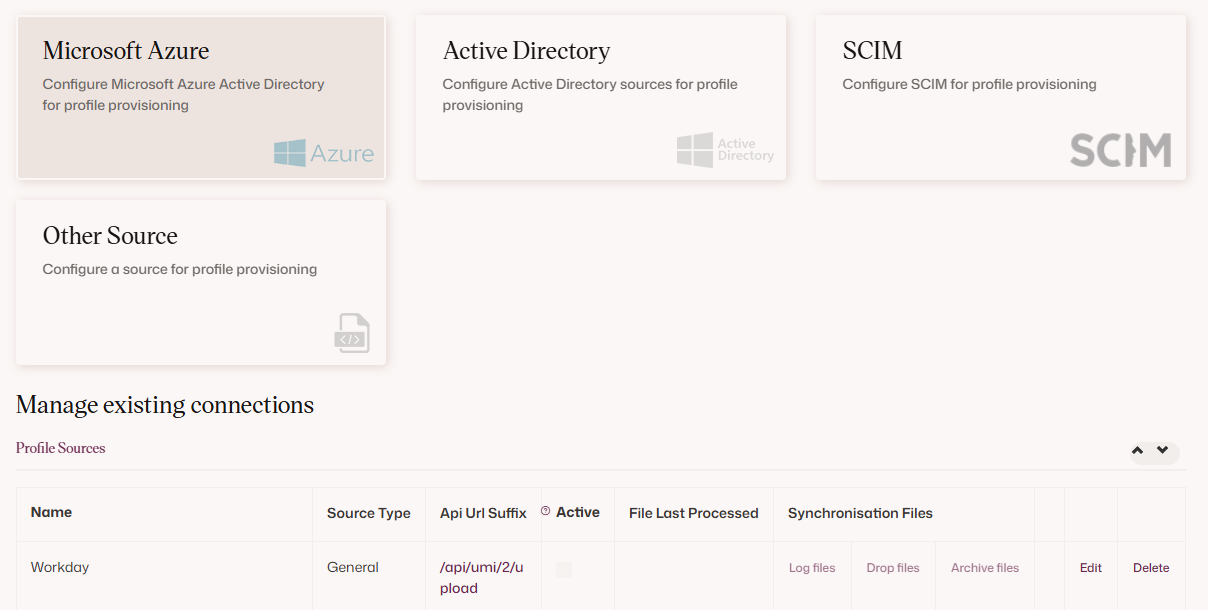
In all cases, {{source_id}} is the ID of the profile source. This ID is displayed in Control Panel > Profile Sources after you save the profile source.
See the sample PowerShell script for an example of uploading pictures.
Limits
Warning: For performance reasons, images uploaded through this API call are restricted:
- Images larger than 5 MB are not permitted. Requests with images that exceed the permitted size return a 413 (Payload Too Large) status code.
- More than 6 requests per minute are not permitted. Requests that exceed the permitted requests per minute return a 429 (Too Many Requests) status code.