Filters and taxonomy aggregations
Overview
Documents synchronised using the native connectors are enriched with various default taxonomy values. You can configure these to be displayed as filters in general search, and use them in the Advanced Filter (JSON) within content widgets and Content Listing Blocks. This page describes how to enable these taxonomy values for use in general search filters. For the field-level reference, see Filters schema.
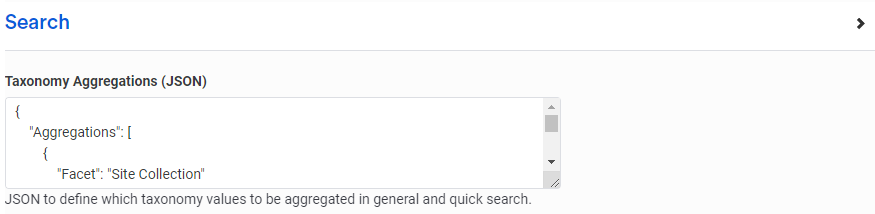
Taxonomy Aggregations (JSON) application variable
The additional filters displayed on the general search results page are configurable via the Taxonomy Aggregations (JSON) application variable.
Note: Application variables are managed in Control Panel > Application Variables.
Standard taxonomy values
There is a set of standard taxonomy values for each connector. See the connector-specific documentation for full details of which values are available.
For example, the SharePoint native connector populates the following standard taxonomy values for synchronised documents, where relevant:
- Site Collection
- Site
- Site Drive
- Site List
- File Extension
- Directory
You can configure the general search results page to include these additional taxonomy values in the Filters flyout as aggregations.
Custom taxonomy values
SharePoint is highly configurable, so the connector can also record values from custom columns of lists against synchronised documents. These additional values can then appear as filters in the general search results page.
Taxonomy value types
When you populate the facets in the application variable, the fields are assumed to be textual. If the connector is configured to synchronise non-textual taxonomy values, specify the type as well. Supported types are:
- Text
- Number
- Date
Examples
Standard taxonomy values
To include some of the standard SharePoint taxonomy values, populate the application variable as follows:
{
  "Aggregations": [
    { "Facet": "Site Collection" },
    { "Facet": "Site" },
    { "Facet": "Site Drive" },
    { "Facet": "Site List" },
    { "Facet": "File Extension" },
    { "Facet": "Directory" }
  ]
}
Additional taxonomy values
If you have configured your connector to synchronise additional taxonomy values for documents (for example, custom columns within a SharePoint list), populate the application variable as follows:
{
  "Aggregations": [
    { "Facet": "Site Collection" },
    { "Facet": "Site" },
    { "Facet": "Site Drive" },
    { "Facet": "Site List" },
    { "Facet": "File Extension" },
    { "Facet": "Directory" },
    { "Facet": "Social Media Use" },
    { "Facet": "Mobile friendly format" },
    { "Facet": "User Journey Stage" },
    { "Facet": "Secondary topic" }
  ]
}
This includes the following taxonomy fields, which in this example come from custom columns on a SharePoint list:
- Social Media Use
- Mobile friendly format
- User Journey Stage
- Secondary topic