Connector credentials
Overview
Native connectors are configured via JSON fields. The connector configuration page is accessible to all Power Users, so the feature is designed so that credentials cannot be read or extracted by any user, Power User, or administrator.
Note: To give non-Power Users the ability to manage Workplace Search connectors, apply permissions from within the Control Panel.
When you edit a connector, any existing credentials are never displayed. Users, Power Users, and administrators cannot view saved credentials, encrypted or unencrypted.
When the connector runs its synchronisation job, the connector framework decrypts the encrypted credentials, connects to the external system, and performs the synchronisation. Encrypted credentials are only decrypted and used by the synchronisation service, which operates in the background and is not directly accessible through Interact.
Credentials are encrypted at the point of save. The web application is designed so that credentials cannot be retrieved by any web application logic, encrypted or otherwise; only the synchronisation service can access them.
Credentials are encrypted and stored using industry best practices:
- The encryption key is stored in separate application config, away from the database where the encrypted credentials are stored.
- The encryption level is 256-bit, in line with industry best practice and recommendations.
- The encryption key is never read or decrypted by the web application. Reading and decryption are only performed by the synchronisation service, so the key cannot be exposed via the web app.
- Within the infrastructure, the synchronisation background service and the web application are in completely different subnets, so there is no lateral attack vector if an attacker gains access.
Warning: Never expose connector secret keys in client-side code.
Creating a new connector
When creating a new connector, you can enter both the Credentials (JSON) and the Configuration (JSON) fields at the same time.
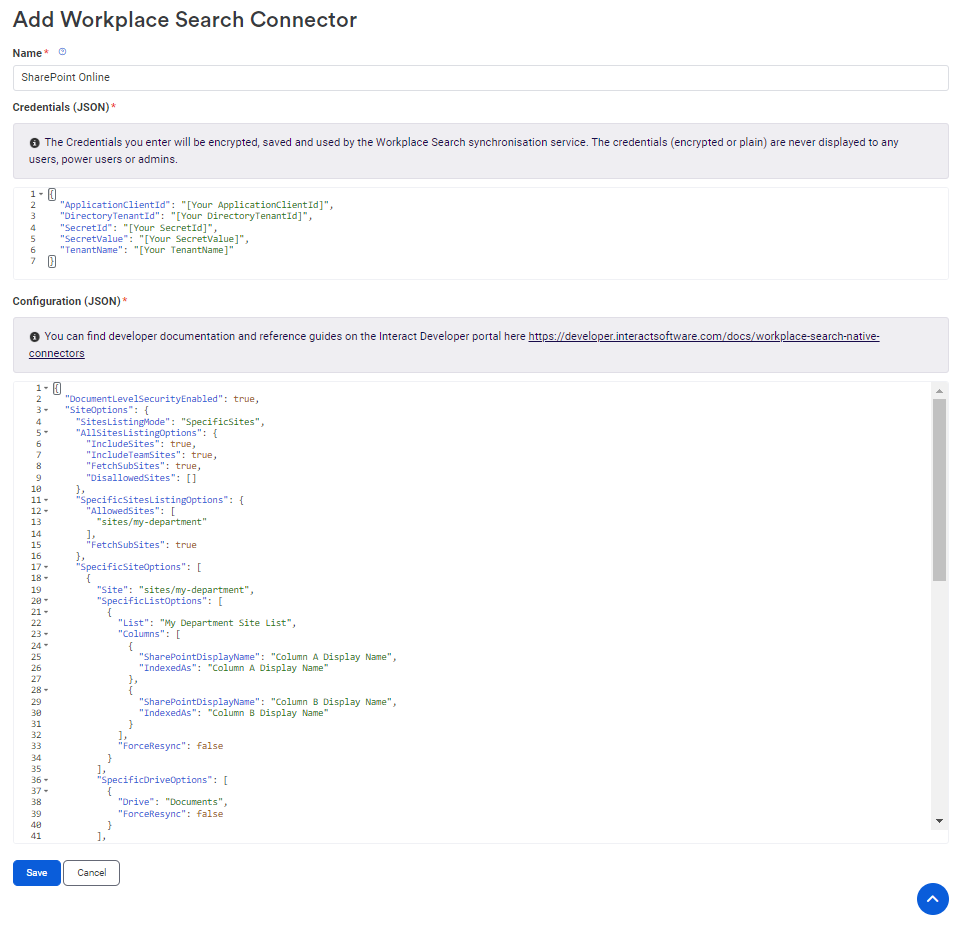
The Credentials (JSON) field typically includes sensitive third-party external API credentials. These credentials are required for the connector to connect to those external data sources.
When you save a new connector, the Credentials (JSON) is encrypted and stored separately from the Configuration (JSON) using current recommended encryption algorithms and best practices.
Editing a connector
When viewing or editing the connector configuration, the Credentials (JSON) field is not visible. Instead, you can only:
- Change Credentials
- Clear Credentials
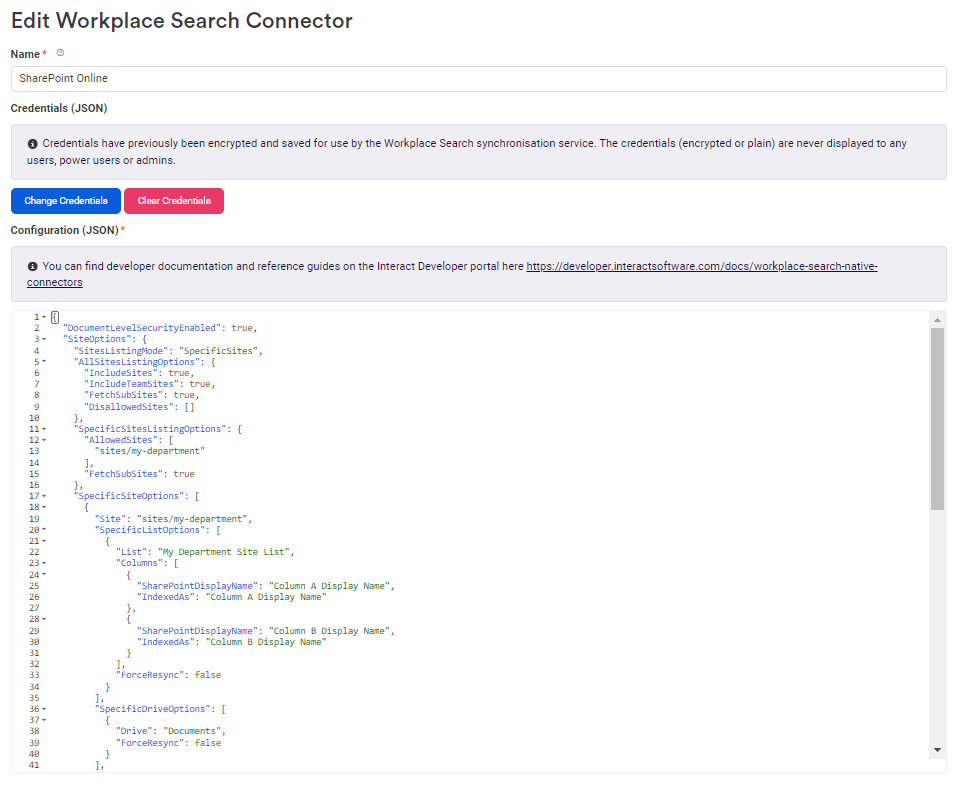
Note: Selecting Change Credentials does not give you access to credentials that were previously saved.
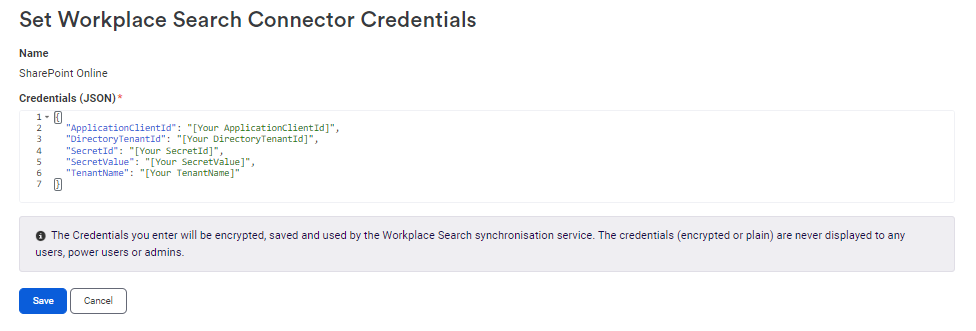
When you select Change Credentials, a form is presented with an empty template for the credentials, which you can use to overwrite any previously saved credentials.