ServiceNow
Let users view ServiceNow incidents, requests, changes and problems, and raise new ones, from your intranet.
The ServiceNow widget gives users access to selected ServiceNow features. Users can view their incidents, requests, change requests and problems. They can also search knowledge articles, submit new requests and raise new incidents.
Before you start
You need:
- A Power User account in Interact with access to Control Panel > Marketplace.
- An administrator account in ServiceNow with permission to manage the Application Registry.
- Your intranet domain to hand, to build the redirect URL.
Step 1: Configure the ServiceNow Application Registry
- In your Application Registry, make sure OAuth is active. By default, OAuth is active on new and upgraded instances.
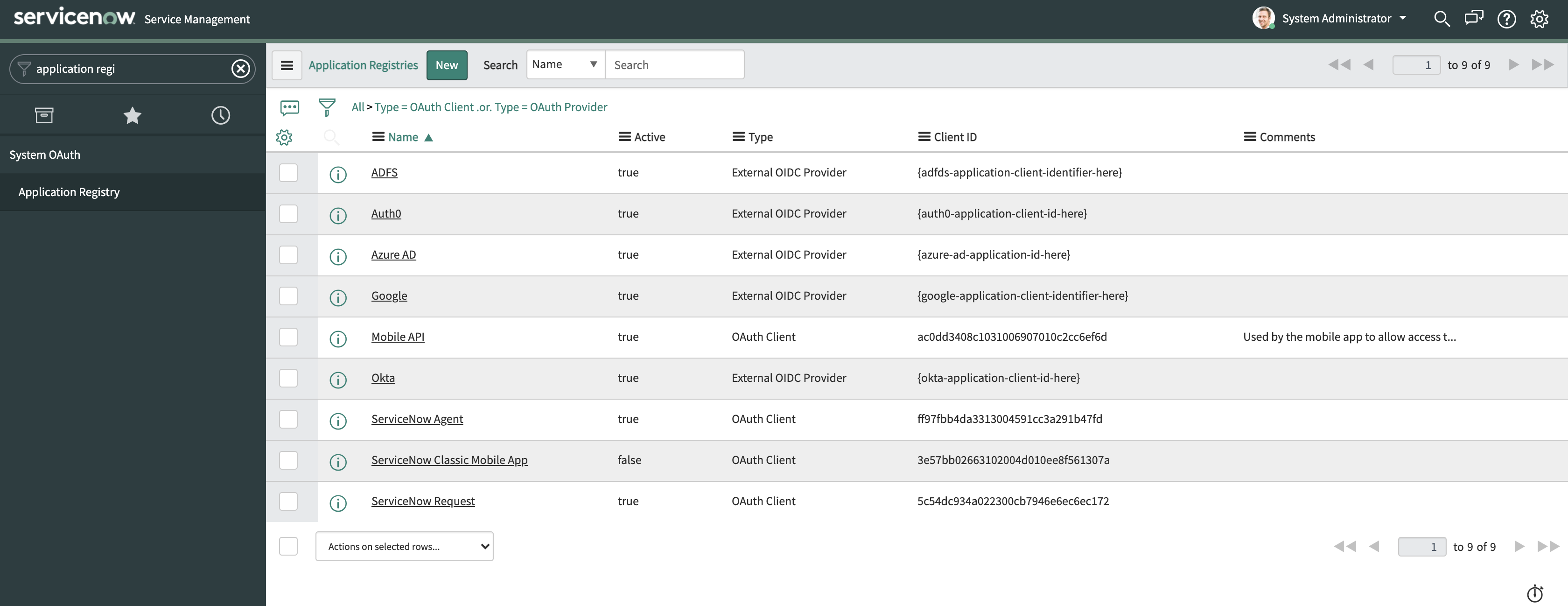
- Create a new OAuth application by selecting New, then Create an OAuth API endpoint for external clients.
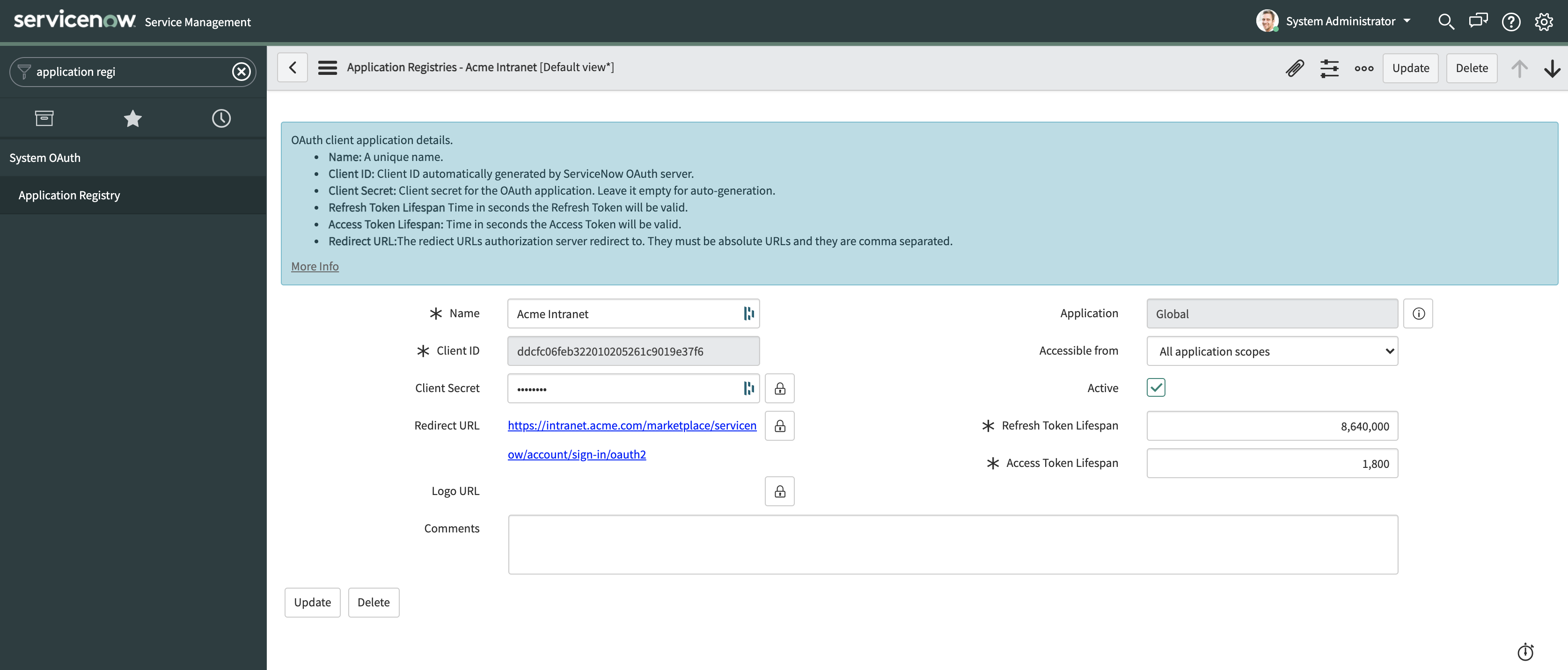
- Configure the values as outlined in the table below.
| Field | Value | Example |
|---|---|---|
| Name | The name of your application | Acme Intranet |
| Redirect URL | https://{{intranet_url}}/marketplace/servicenow/account/sign-in/oauth2 |
https://intranet.acme.com/marketplace/servicenow/account/sign-in/oauth2 |
- Make a note of the Client ID, Client Secret and Instance Name. You will need these later in the setup.
- Select Submit.
Step 2: Configure the Interact Marketplace
- Go to Control Panel > Marketplace and select ServiceNow.
- In the Application Registry section, specify:
- Client ID
- Client Secret
- Instance Name (the domain URL of your ServiceNow instance, including
https://)
- Select Save.
Warning: Editing existing Marketplace configuration immediately revokes all user authentication tokens. Users must re-authenticate before using the integration again. Any scope changes apply immediately to new access tokens. Existing tokens do not reflect changes until re-authentication.
Common errors
| Error | Guidance |
|---|---|
| Missing redirect URL in application registration. | The redirect URL has not been specified in the Application Registration, or it is incorrect. |
{"error_description":"access_denied","error":"server_error"} |
This is a generic error returned from ServiceNow that covers various issues. It may indicate that the Client Secret does not match the one in your ServiceNow Application Registry. |
Additional considerations
You can hide the ServiceNow logo from the widget shown to end users. This is useful when the application has a different name within your organisation.
Note: To hide the ServiceNow logo, contact Interact Support.
Related
Section: Integrations