Native connectors
Overview
Workplace Search native connectors are a fully managed way to synchronise external content into Interact's search index, which is used in various places within Interact. You enable and configure them through the UI, and Interact manages the synchronisation and state for you.
Native connectors bring additional data into a single, general-purpose search index. This lets you run searches from one search experience, without jumping between tabs.
Note: Workplace Search was previously called Enterprise Search; you may still see the old name in some URLs. The original API connector is now called a custom connector, and any other type of connector is a native connector.
Before native connectors existed, the custom connector was the only way to add documents to Interact's search index. To use the custom connector APIs, you had to write your own in-house applications to push documents into Interact, and manage your own synchronisation processes and state. Those custom connector APIs have since been superseded by a set of APIs that offer the same synchronisation and state management features used by the native connectors.
Available native connectors
Manage and create Workplace Search connectors in Control Panel > Developer Framework > Workplace Search.
The current native connectors are:
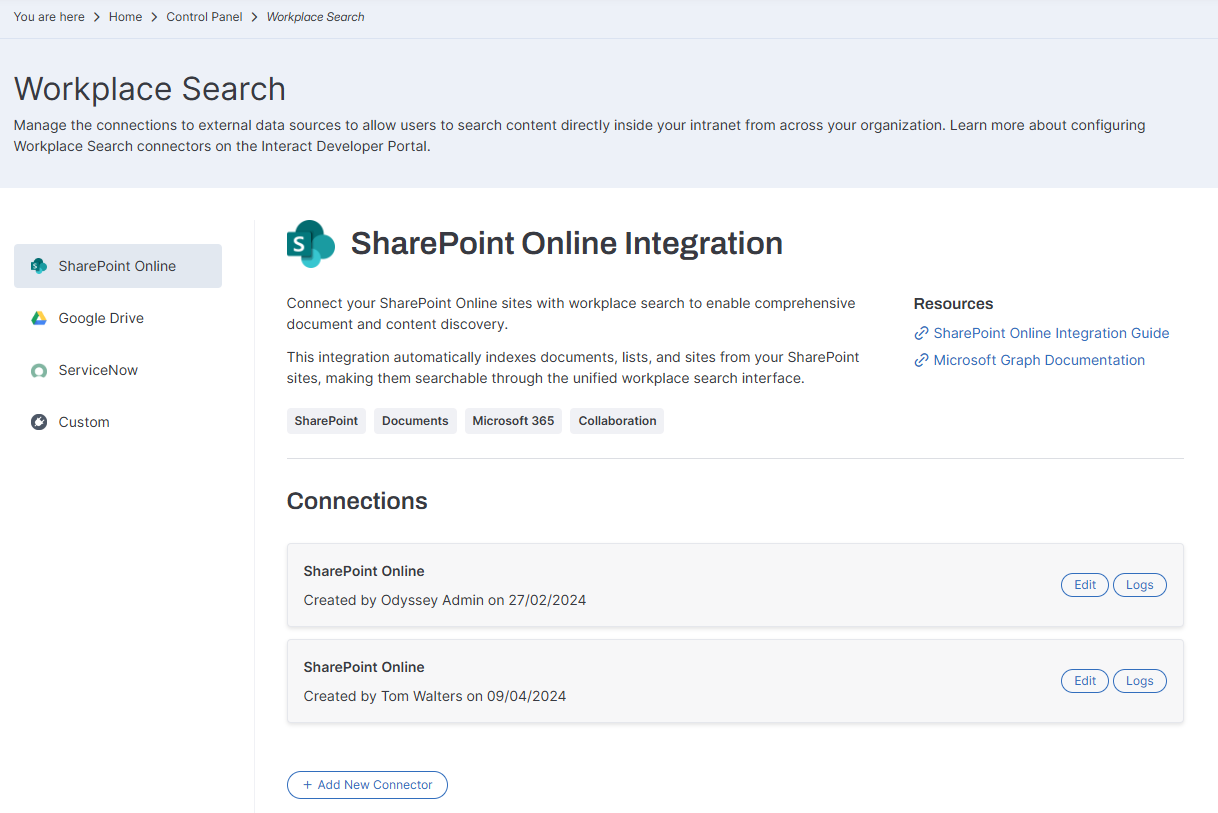
Connectors for Confluence and Salesforce are in development.
Note: If you need to bring in data that is not yet supported by a native connector, use the custom connector API.
SharePoint
The SharePoint native connector can synchronise:
- Site collections
- Sites
- Site drives (document libraries)
- Site drive items (files and folders)
- Lists
- List items
- List item attachments
Google Drive
The Google Drive native connector can synchronise:
- Google drives
- Google Drive files
- Google Drive folders
- Google Drive sites
ServiceNow
The ServiceNow native connector can synchronise:
- Knowledge bases
- Knowledge base articles (and attachments)
- Request items (and attachments)
- Incidents (and attachments)
- Change requests (and attachments)
Configuration
Native connectors have many configuration options, so you configure each one with a JSON configuration. The product validates your JSON against a specific schema as you enter it, so you can confirm the configuration is valid.
Connector framework
Native connectors are Interact's own fully managed connectors. You do not need to write your own integration code or rely on third-party solutions to create a single unified search experience.
The connector framework supports the following features. Every connector, native or custom, can use them:
- Basic and advanced synchronisation strategies that keep content up to date efficiently. For example, the SharePoint native connector uses Microsoft Graph API delta queries to track changes and synchronise only what has changed.
- Synchronisation of the external identities of users (email address, group and role assignments), so that users only see synchronised content they have permission to see.
- Synchronisation of documents from external systems (pages, attachments, files). Document-level access control records which external identities have access to each document.
- Detailed logging for visibility of what is being synchronised, and for troubleshooting.
- Security controls, including preventing Power Users who impersonate other users from seeing the external content of impersonated users.
- Integration into Interact, including general search results, filters, and advanced filters in the Content Widget and Content Listing Block.
For more information, see:
Synchronisation frequency
The synchronisation process runs every minute, so content takes at least a minute to synchronise after the last synchronisation task has completed. If there is a lot of content to synchronise, it can take longer for content or changes to appear within Interact.
@-mentioning
You can @-mention synchronised content just like any other content within the intranet.