Auto login to the Microsoft Graph API
As described in Microsoft 365, the widgets and integrations connect to the Microsoft Graph API. For them to work within Interact, you must create an app registration.
For a smoother experience, you can enable auto login to authenticate with the Microsoft Graph API. This removes the need for a user to log in again for Microsoft 365 widgets and other integrations to work. You set this up while configuring Single Sign-On for Interact.
Before you start
You need:
- A Power User account in Interact with access to Control Panel > SAML Authentication.
- An existing or planned Entra ID (formerly Azure AD) SAML SSO configuration. See Single sign-on with Entra ID.
- A configured Microsoft 365 Marketplace integration.
Step 1: Enable auto login on the identity provider
When adding a new identity provider or editing an existing one, select the Automatically authenticate against Microsoft Graph checkbox in the Identity Provider Details.
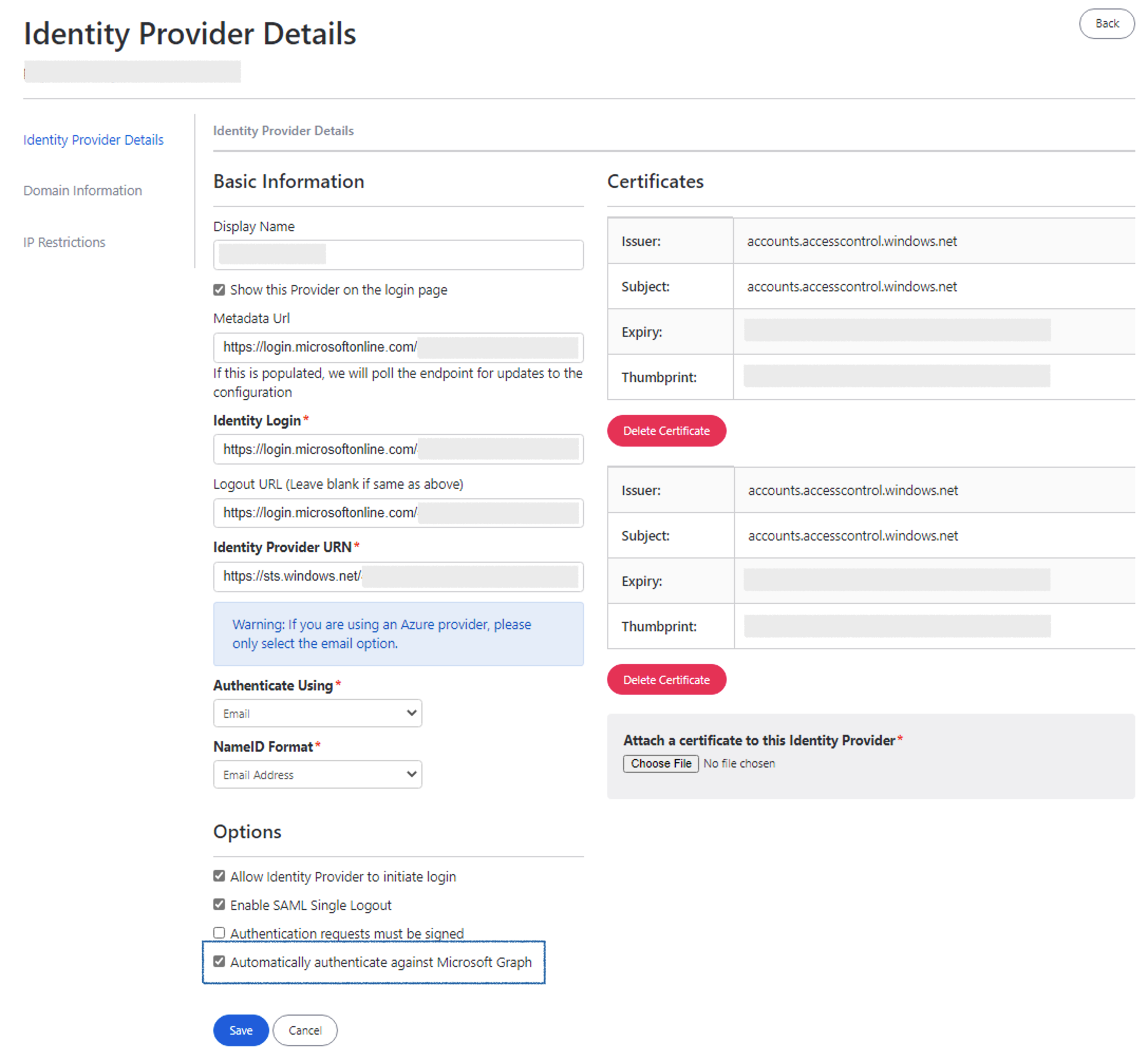
To find the identity provider, go to Control Panel > SAML Authentication, then select New Identity Provider or edit an existing identity provider.